
Athena
Website builder
Home page, about us, gallery, sponsors: edit pages right on the page with more than 25 blocks, templates and versions. Your logo, colours and font.
Website, sign-up, tournaments, big screens, catering and community – all in one platform. On your own server, with your logo and your data.
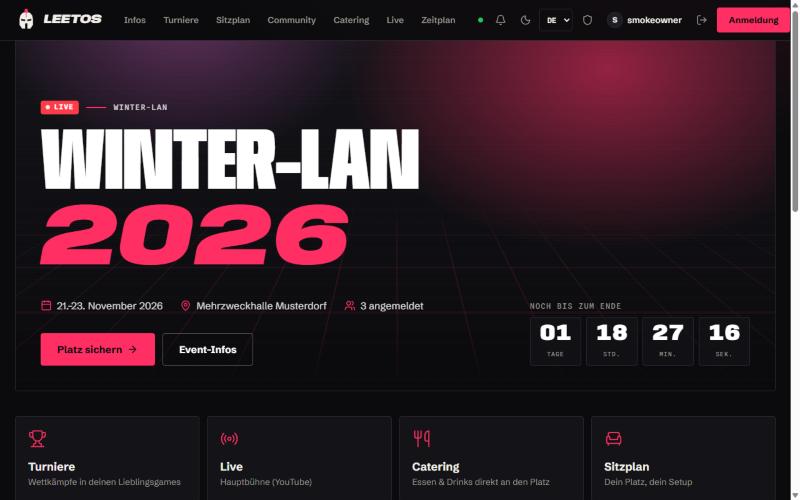
Switch every module on or off. And for each area you decide who sees it: all visitors, registered participants, or only people on site.
Athena
Home page, about us, gallery, sponsors: edit pages right on the page with more than 25 blocks, templates and versions. Your logo, colours and font.
Cerberus
Ticket types with quotas, waiting list, custom required fields, QR tickets and scan check-in. Under-18s with parental consent.
Atlas
Draw the seat map in the editor and reserve seats for groups. Participants pick their own seat – from the time you set.
Arena
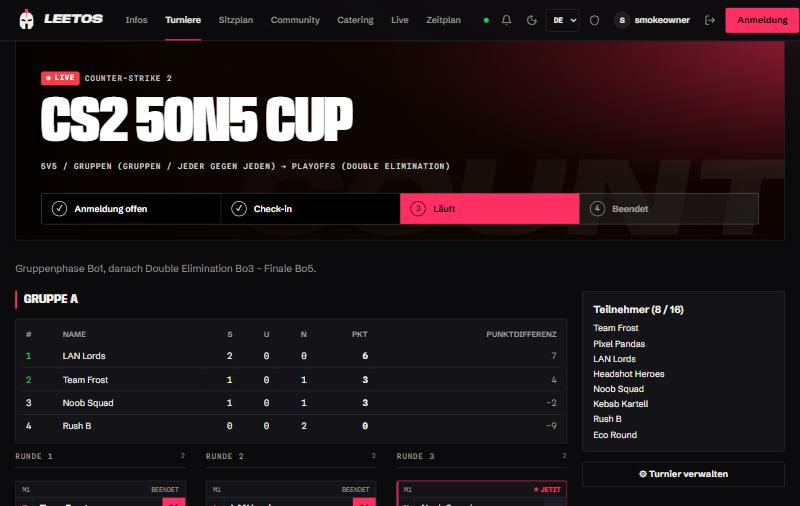
Single and double elimination, round robin, groups into knockout, Swiss and FFA points. Teams, check-in, result reports – for CS2 the server enters them itself via MatchZy.
Helios
Every screen pairs with a code. The director switches between brackets, next matches, winners and announcements by itself – or you take over live from your phone.
Ambrosia
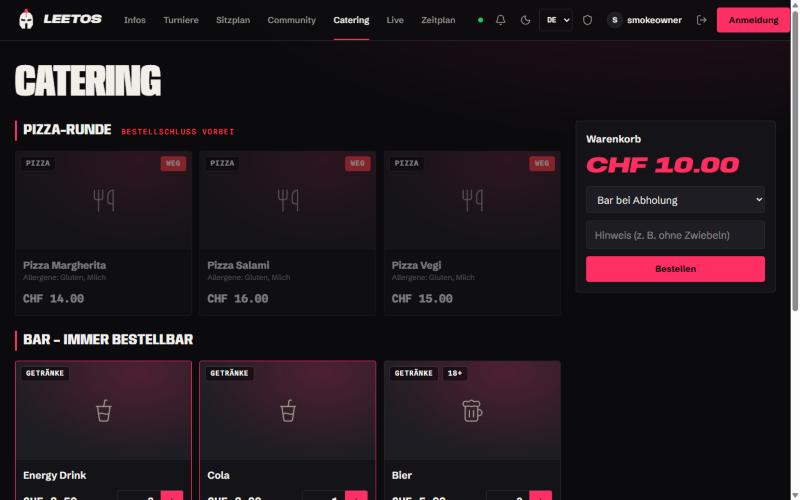
Menu with stock, order rounds, kitchen view, till with order numbers and pickup screen. Alcohol only for adults – LeetOS checks that itself.
Argus
Live cameras from phones, OBS or IP cameras – without internet. Game server status, RCON and OBS overlays for bracket, next match and ticker.
Agora
Chat, photo wall with reporting and word filter, polls, player profiles, clans and achievements.
Pantheon
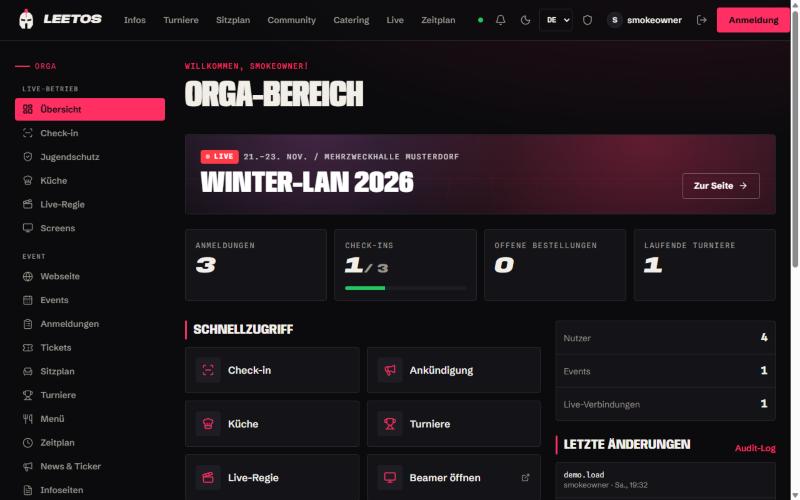
Sign-ups, revenue, catering and tournaments in numbers – with CSV export for the books.
The names? In Olympus mode every module carries the name of a Greek figure.
One command starts LeetOS on your server, NAS, Raspberry Pi or a rented VPS.
The wizard asks for name, logo and login. Demo data shows you how everything looks.
Open sign-up, release the seat map, start tournaments. The big screen runs itself.
The easiest way is a small rented server on the internet (from about CHF 5 a month, e.g. Infomaniak or Hetzner): your website, sign-up and payments are reachable anywhere, and at the LAN the event area opens. You need Docker, 1 CPU core, 2 GB RAM, 10 GB storage and your own domain. Plain web hosting that only runs PHP is not enough. For LANs without any internet, LeetOS also runs on site on a NAS or mini PC. No third-party servers, no tracking: fonts, icons and everything else ship with LeetOS.
With your own Stripe account: card, TWINT, Apple Pay and more. The money goes straight to you and LeetOS books the payment automatically. Cash and bank transfer still work, of course.
Visa / Mastercard / TWINT / Apple Pay / Google Pay
The LeetOS source code is open. It is free for your own events of up to 1,000 people – you only pay without “Powered by LeetOS” or for very large events.
Community
Free
forever
Pro
CHF 100
per year and installation
Enterprise
+ CHF 1
per person above 1,000, per event
Prices include VAT where applicable. Enterprise = Pro licence plus CHF 1 per checked-in person above 1,000. The licence expires after one year – LeetOS keeps running, only the notice comes back.
You need Docker. Then this file and one command are enough:
Then open http://<server>:3000 and follow the wizard. The container log shows the setup code.
Guides for
docker-compose.yml
services:
  leetos:
    image: ghcr.io/blauersamtt/leetos:latest
    restart: unless-stopped
    environment:
      TZ: Europe/Zurich
      MEDIAMTX_API: http://mediamtx:9997
    ports:
      - '3000:3000'
    volumes:
      - leetos-data:/data

  mediamtx:
    image: bluenviron/mediamtx:1
    command: ['/mediamtx.yml']
    restart: unless-stopped
    environment:
      MTX_WEBRTCADDITIONALHOSTS: ''
    volumes:
      - ./docker/mediamtx.yml:/mediamtx.yml:ro
    ports:
      - '1935:1935' # RTMP (OBS, Insta360 app)
      - '8554:8554' # RTSP
      - '8890:8890/udp' # SRT
      - '8189:8189/udp' # WebRTC picture

volumes:
  leetos-data:
Terminal
docker compose up -dOn your own server with Docker – easiest is a small rented server on the internet, so online sign-up and payments work. The LAN then needs internet. For LANs without any internet you set LeetOS up on site (NAS, mini PC); online sign-up beforehand is not available then.
Anything that runs Docker: an old PC, a Synology or Unraid NAS, a Raspberry Pi 4/5 or a small VPS. LeetOS is built for x86 and ARM.
Yes, for your own events of up to 1,000 people. The code is open (Business Source License; every version becomes open source under the AGPL-3.0 after four years). You only pay to hide “Powered by LeetOS” or for larger events.
Only on your server. LeetOS sends nothing to us and has no telemetry. Export, deletion and retention periods are built in.
Yes. Design the public home page and your own pages with the builder. Areas like catering or the seat map are only visible to registered people – you set that per area.
German and English, switchable per person. More languages can be added.